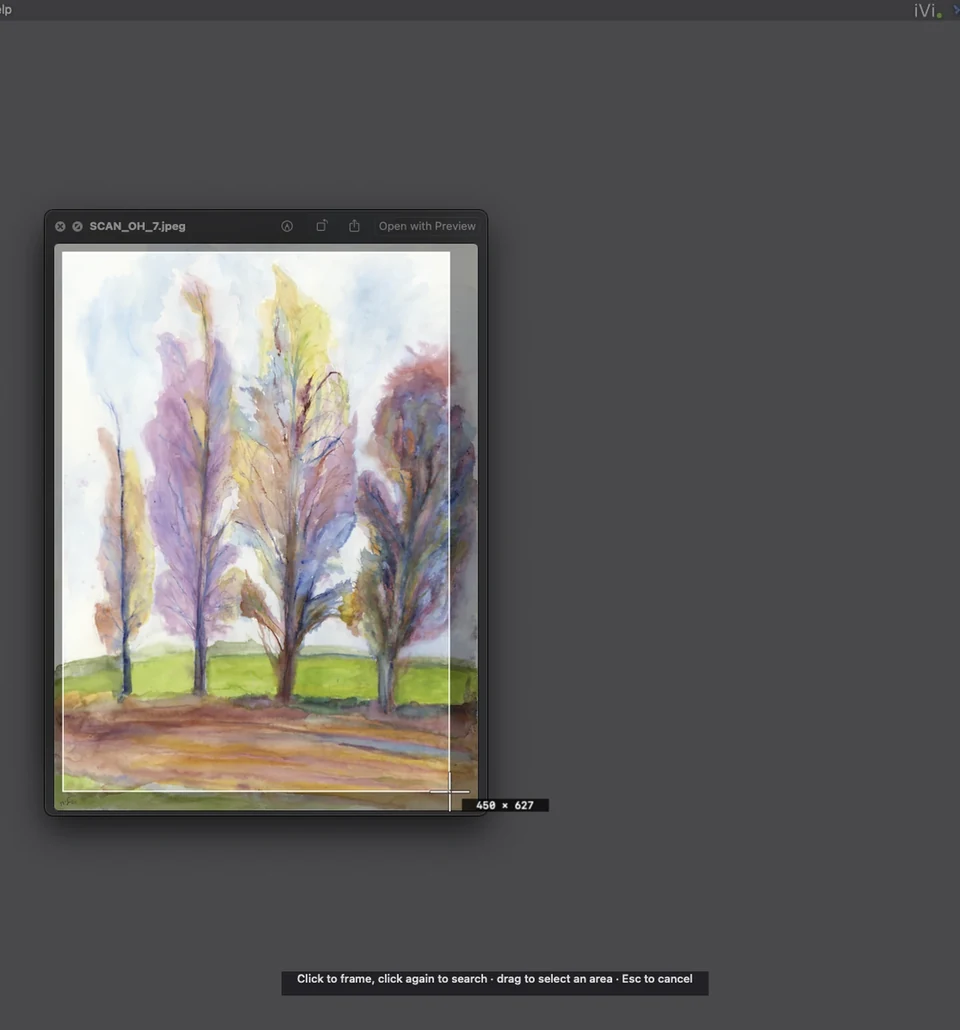
1 · Capture
See it somewhere? Capture it.
Select any part of an email, website, catalog or PDF. iVi searches your indexed folders and external drives for the original.
Private visual search for Mac
Local visual search for Mac
Drag a file or capture anything on your screen. iVi finds the matching work across your folders and external drives, without uploading your archive or moving a single file.

14 days free $49.99 once. No subscription.
Indexed once. Results in under a second.
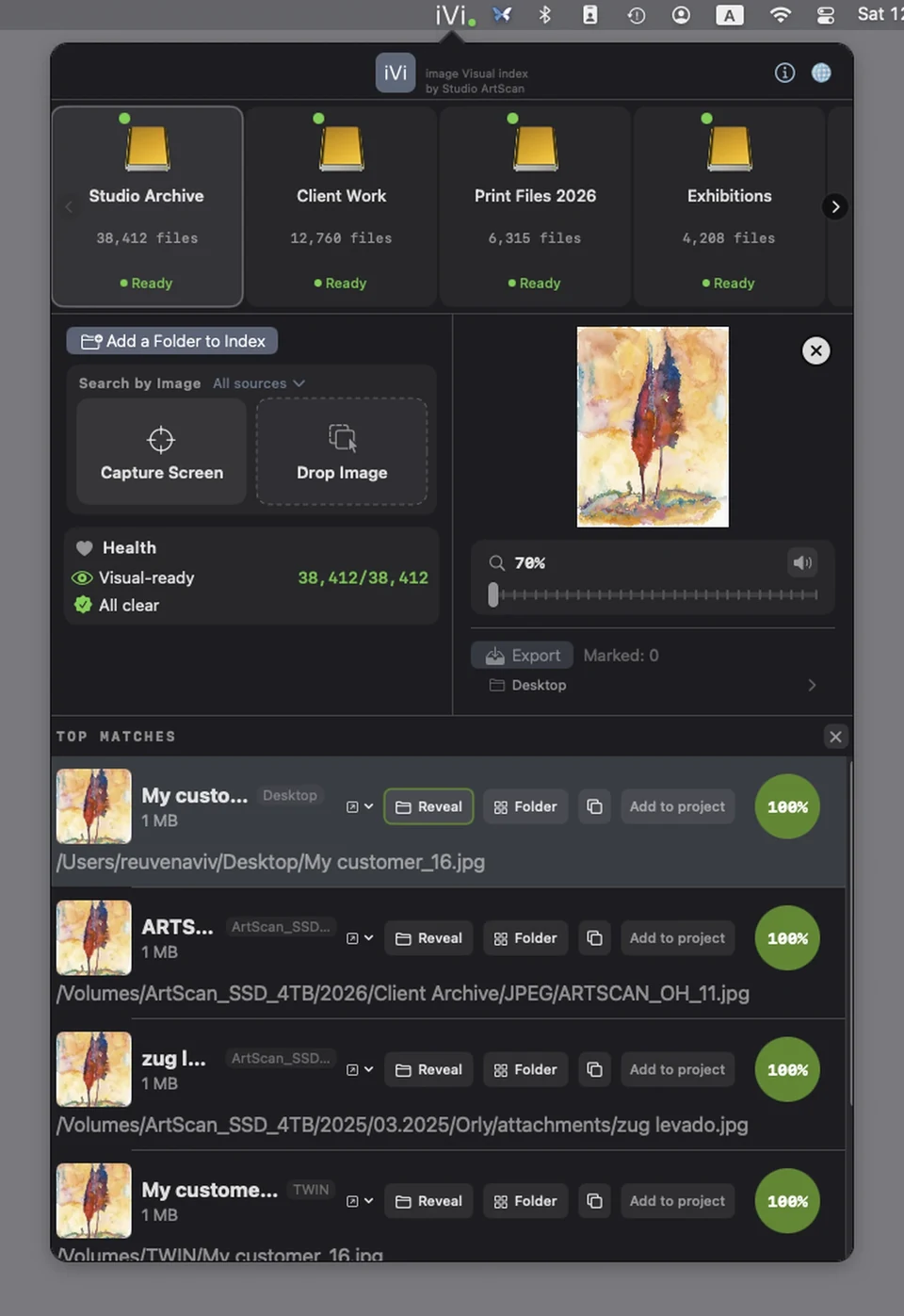
After indexing, visual search results appear in under one second.
1 · Capture
Select any part of an email, website, catalog or PDF. iVi searches your indexed folders and external drives for the original.
2 · Drop
Drag in a client JPEG, phone photo or compressed preview. iVi finds the matching high-resolution work in your archive.
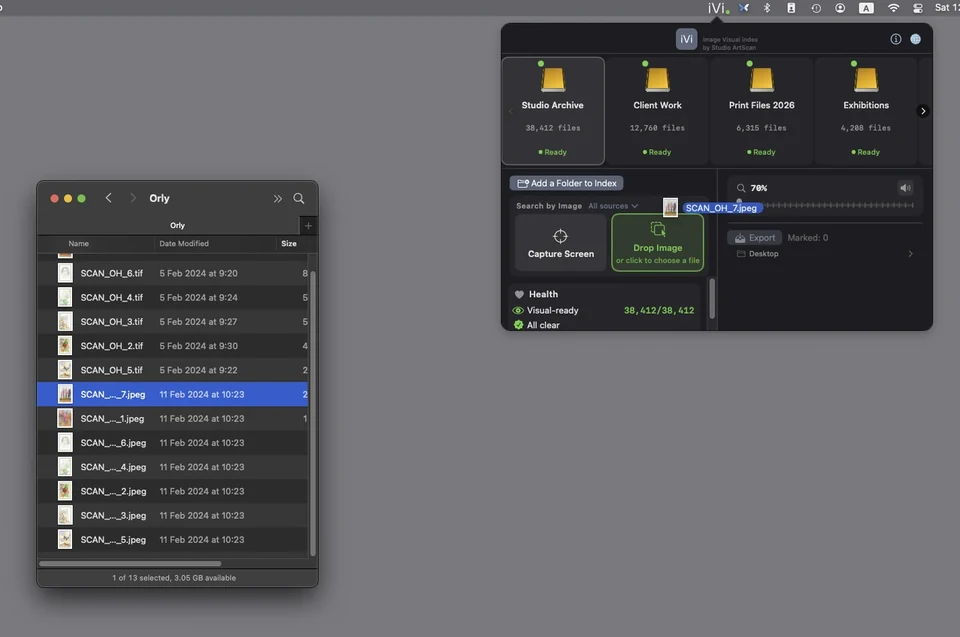
Tens of thousands of files per drive, large TIFF and PSD-scale scans included.
Found it? Open the file's folder inside iVi, preview the files around it, or reveal it in Finder.
11 languages, including full right-to-left support.
They bring a print and want a reprint. No filename, no date. Photograph the print, drop the photo into iVi, and find the original master on your archive drive.
Exports, crops and color fixes end up scattered across folders. Find All Versions shows every copy side by side, so you can pick the true master.
They want it printed large. Drop the compressed file into iVi and find the full-resolution original on your backup drive.
Capture it from a website, an old catalog or a PDF, and iVi shows you where the file lives.
Private by design
No upload, no account and no new media library. iVi reads your indexed folders to search them; it never moves, renames or deletes a file.
It runs entirely on-device: on the Neural Engine on Apple silicon, and on every Mac that runs macOS 15. It works fully offline.
One simple price
No subscription. Your local index remains available when you unlock, whether that's today or months from now.
Every feature is open during the trial. The trial starts through the App Store and nothing is charged.
Yes, for your own files. Google searches the web; iVi searches the drives and folders on your Mac, offline, and never uploads anything.
Indexing and searching are two separate steps. Indexing runs once per folder or drive, in the background, and takes as long as the drive needs: a large mechanical drive can take hours; a fast SSD is much quicker.
After a folder has been indexed, visual search results appear in under one second.
Completely. iVi needs no internet connection to index or search. Only starting the trial or unlocking goes through the App Store.
No. iVi reads your images to build its index, and that's all it ever does. It never moves, renames or deletes a file, and it doesn't create a new media library. Your files stay exactly where they are.
Indexing and search pause until you unlock iVi for $49.99. Your index stays on your Mac and reopens the moment you do. Nothing is deleted.
Any Mac running macOS 15 or later, Apple silicon or Intel.
Studio ArtScan
iVi is made by Studio ArtScan, a fine-art scanning and print studio. For more than 30 years we have worked with artists, designers, photographers, archives and large image collections.
We built iVi because we needed it ourselves. Our own archive, 71,000 images, is indexed and searched with it every day.
“We don't touch your files and don't delete anything. Just find what you're looking for, fast.”